Stud's Jobs tab keeps the numbers of a project together: save any calculation to a named job, add notes, and share the whole job as text with a client, a supplier or your crew. Jobs are stored on your iPhone only, with no account and no cloud sign-up, and they work offline. The feature is free like the rest of the app.
How do I save a calculation to a job?
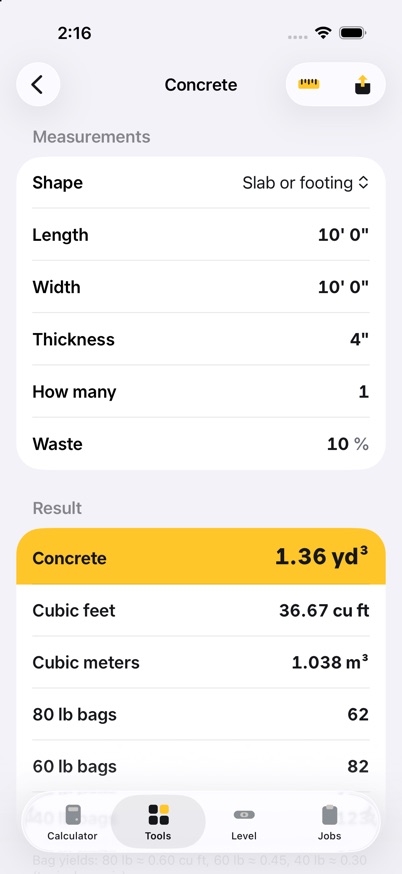
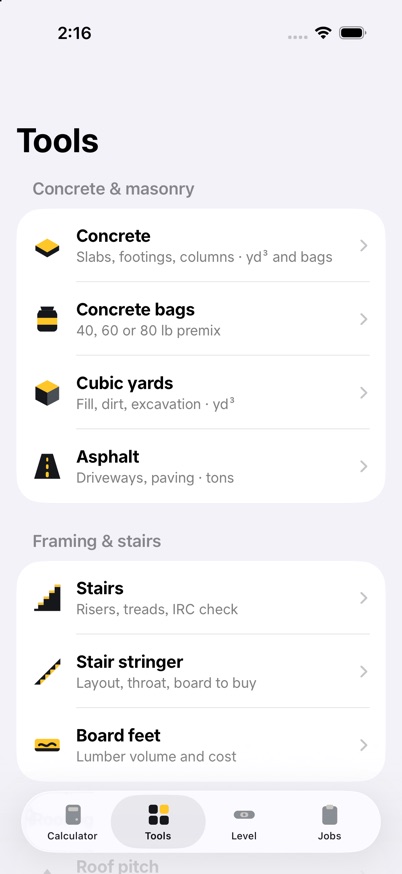
- Run any calculator in the Tools tab, for example a slab in the concrete calculator.
- Use save to job on the result.
- Save it to a job named for the project, such as "Garage slab" or "Back deck".
Later, the job shows what you worked out: that a 10 × 10 ft slab at 4 inches is 1.23 yd³, or 56 bags of 80 lb. Every one of the 13 calculators can save to a job: concrete, concrete bags, cubic yards, asphalt, stairs, stair stringer, board feet, roof pitch, roofing, rafters, gravel, mulch and square footage.
What can I keep in a job?
| In a job | What it holds |
|---|---|
| Name | Any name you choose |
| Saved calculations | Results from any of the 13 calculators |
| Notes | Free text per job: measurements, supplier, reminders |
| Share | The whole job as plain text |
| Storage | On the device (SwiftData), no account |
How do I send a job to someone?
Open the job and share it. Stud writes it as plain text, so it reads well in Messages, Mail, WhatsApp or a notes app, and the person you send it to does not need Stud. A job for a set of basement stairs might list the total rise, 14 risers of 7-11/16", 13 treads of 10", the stringer length and the board length to buy, with your note about the landing. Single results can also be shared from any calculator, or copied and shared from the keypad history.
Where are jobs stored?
On your device, in Apple's SwiftData store inside the app. Nothing is sent to us, and there is no account to sign in to. That also means a job lives on the device where you made it: to move numbers to another phone or to an office computer, share the job as text. Deleting the app deletes its jobs.
Which calculators are used most with jobs?
Jobs are most useful when one project needs several calculations. A patio might need a concrete slab, the gravel base under it and the square footage for the sealer. A deck might combine stairs, the stringer layout and board feet for the lumber order.
Frequently asked questions
Can I save calculations by project in a free app?
Yes. Stud saves any calculation to a named job with notes, free, with no account.
Do jobs sync between two phones?
No. Jobs are stored on the phone where you create them. Share a job as text to move it.
Can I add notes to a job?
Yes. Each job has its own notes for measurements, reminders or supplier details.
Does the person I share a job with need the app?
No. A shared job is plain text that any phone or computer can read.